
BearLearn
Gamified Learning for Children
Learning becomes an adventure.
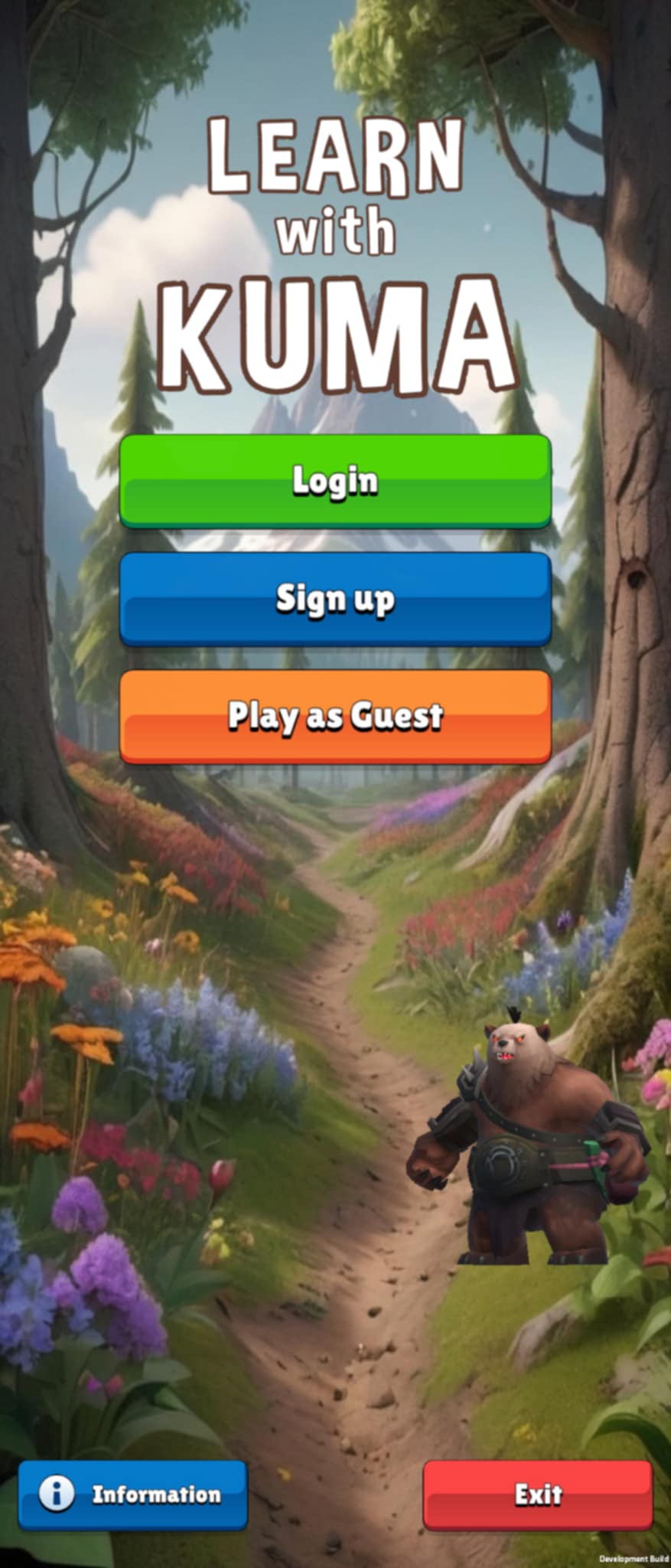
BearLearn turns quizzes and exercises into immersive 3D missions — with XP, levels, rewards and achievements that keep children engaged.
- Free for families (optional cosmetics only)
- Educator dashboard for classes, groups, assignments and results
- Parental dashboard for control and progress visibility
Safe by design • No ads • Optional cosmetic purchases
Most digital learning is flat. Kids lose interest.
Worksheets and 2D quizzes don't compete with modern games. BearLearn uses game mechanics to keep attention without turning learning into a chore.
Low engagement
Children disengage after a few minutes.
No motivation loop
No XP, rewards, or progress to chase.
Hard to manage at scale
Teachers need simple assignment tools.
Parents lack visibility
Families want progress + control.
A real game — designed for learning.
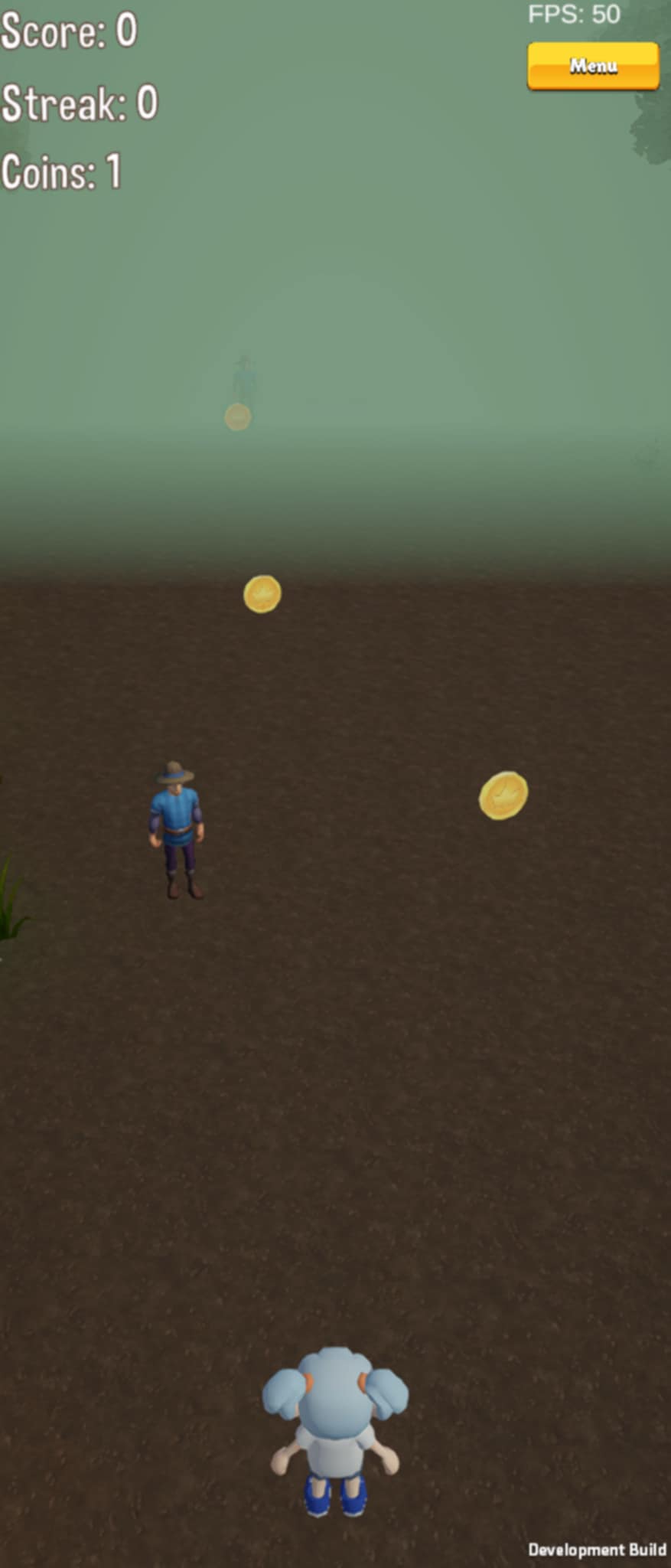
Children explore 3D environments where questions appear naturally during play.
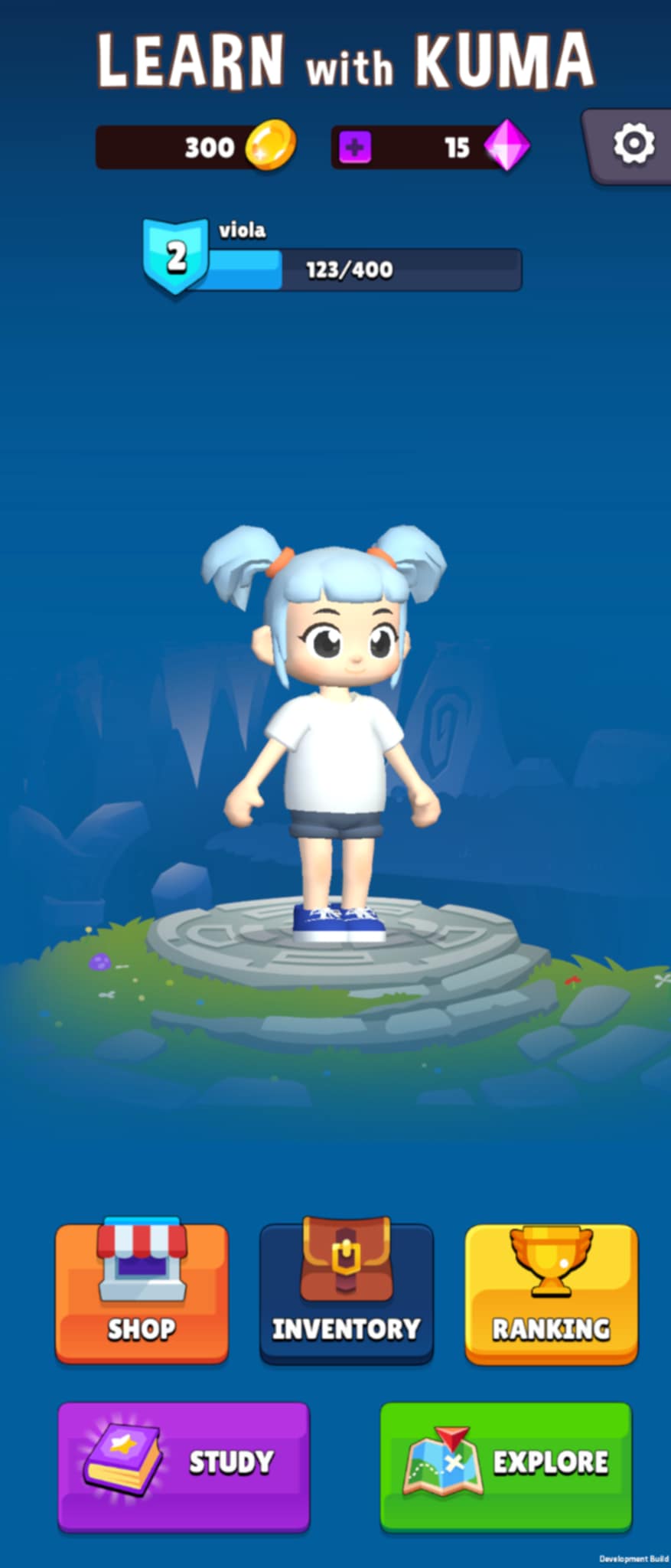
XP & Levels
Progress feels rewarding and long-term.
Coins & Rewards
Earn currency through learning performance.
Achievements
Unlock badges for streaks, mastery, consistency.
Avatar Customization
Optional gems for skins and clothes (cosmetic only).
How BearLearn works
Play
Kids play through predefined levels and missions.
Learn
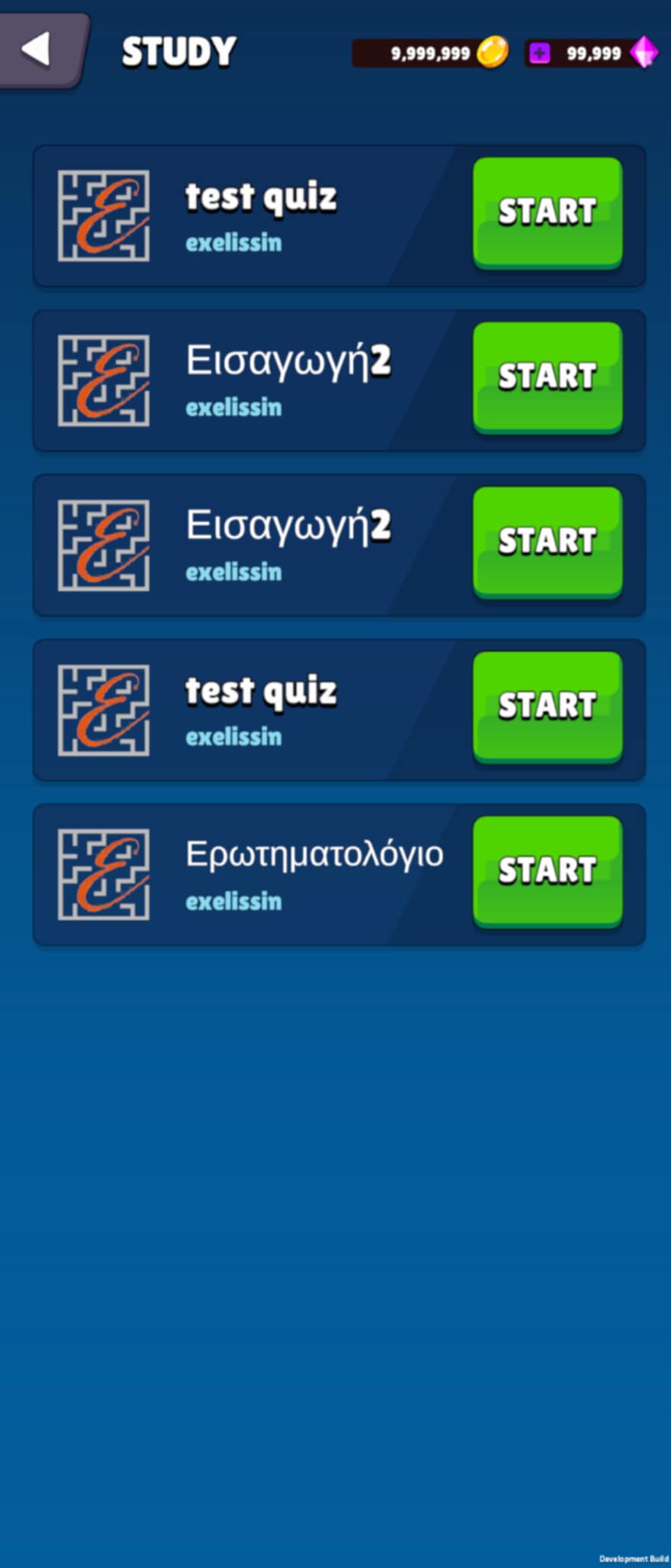
Questions appear during gameplay — quizzes, exercises, challenges.
Track
Parents and educators see progress, performance, and completion.
Built for educators who want engagement and control.
Assign exercises at scale, organize classes, and track progress — without wasting time.
- Classes & Groups (school, organization, educator)
- Mass Assignment (assign quizzes/exercises to many students at once)
- Custom Quizzes (build your own content)
- Student Progress Tracking
- Performance Analytics (accuracy, completion, activity)
- Organization Support (schools with multiple educators)
Engagement layer
The game makes students want to participate.
Structure layer
The dashboard gives you full control.
Measurement layer
You see results clearly and instantly.
Parents stay in control. Kids stay motivated.
Parental Dashboard
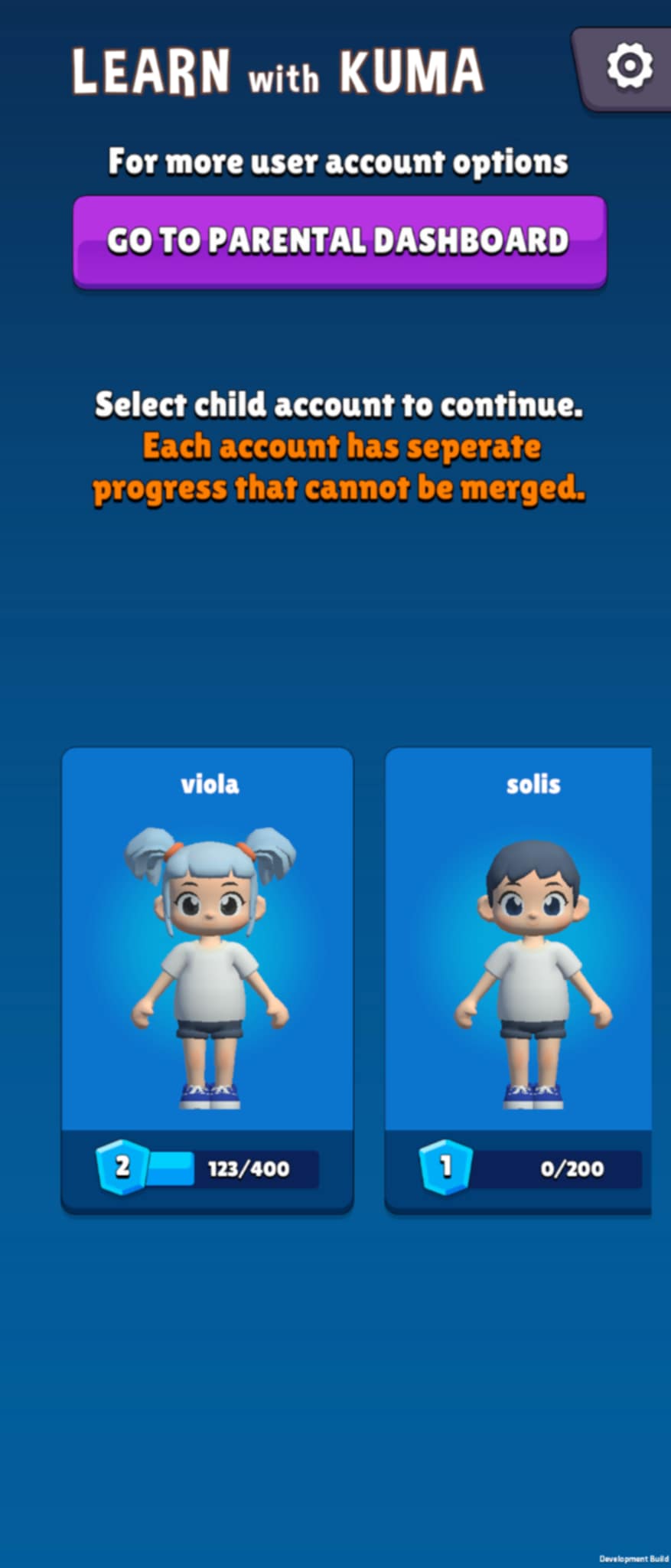
Manage child accounts and control options/settings.
Progress Visibility
See level progress and learning activity in real time.
Child-Safe Environment
No ads, no chat with strangers, no inappropriate content. Parental controls are built in from day one — designed so kids can explore freely in a safe space.
Available on
Research-Backed Results
See how gamified 3D learning compares to traditional methods — backed by peer-reviewed studies.
Backed by Research
These findings are based on peer-reviewed meta-analyses and empirical studies in educational technology.
Sailer, M., & Homner, L. (2020). The gamification of learning: A meta-analysis. Educational Psychology Review, 32(1), 77–112.
Finding: Gamification significantly increases cognitive, motivational, and behavioral learning outcomes.
doi.org/10.1007/s10648-019-09498-wClark, D. B., Tanner-Smith, E. E., & Killingsworth, S. S. (2016). Digital games, design, and learning: A systematic review and meta-analysis. Review of Educational Research, 86(1), 79–122.
Finding: Digital game-based learning produced a 0.33 standard deviation improvement over non-game conditions.
doi.org/10.3102/0034654315582065Hamari, J., Koivisto, J., & Sarsa, H. (2014). Does gamification work? — A literature review of empirical studies on gamification. In 2014 47th Hawaii International Conference on System Sciences (pp. 3025–3034). IEEE.
Finding: Gamified systems documented 2–3× higher voluntary engagement compared to non-gamified environments.
doi.org/10.1109/HICSS.2014.377de Freitas, S. (2018). Are games effective learning tools? A review of educational games. Educational Technology & Society, 21(2), 74–84.
Finding: Immersive 3D learning environments produced 2–3× longer time-on-task compared to traditional materials.
jstor.org/stable/26388380
Pricing for educators and schools
Families download the app for free. Subscriptions are for educator assignment & tracking features.
Individual Educator
For a single educator
- Up to 50 students
- Custom quizzes & exercises
- Student progress tracking
- Basic analytics
- Class management
- Assignment scheduling
School
For schools with multiple educators
- Up to 5 educators
- Up to 300 students
- Classes & groups management
- Mass assignment tools
- Advanced analytics & reports
- Priority support
Organization
Multi-school or network
- Unlimited educators
- Unlimited students
- Multi-school admin controls
- Custom onboarding
- SSO integration (coming soon)
- Dedicated account manager
Frequently Asked Questions
Yes — children can download and play BearLearn completely for free. The app includes a rich set of levels, missions, and 3D learning worlds at no cost. There are optional cosmetic gems that let kids personalize their avatar (skins, outfits, accessories), but these are strictly decorative and never affect gameplay or learning outcomes. There is no pay-to-win mechanic, and no content is locked behind a paywall for individual learners.
Yes, each child gets their own individual account, which is essential for tracking their unique learning progress, achievements, XP milestones, and completed assignments. This means parents and educators can see exactly which exercises a student has finished, where they struggled, and how their performance improves over time. Account setup is quick, requiring only a name, age group, and parent/guardian email for verification.
Educators use a dedicated web-based dashboard that lets them create classes, organize students into groups (by grade, subject, or skill level), and assign quizzes or exercises in bulk. Mass assignment means you can push the same quiz to 300 students at once with a single click. Educators can also set due dates, track real-time completion, and review per-student analytics — including time spent, accuracy, and retry attempts.
Absolutely. The educator dashboard includes a quiz builder where you can create multiple-choice, fill-in-the-blank, matching, and open-ended questions. You can organize them by subject, difficulty level, and curriculum topic. Quizzes can be assigned to entire classes or individual students, and all results are tracked in the analytics dashboard. We also provide a library of pre-built exercises aligned to common curricula that educators can use as-is or customize.
No — BearLearn is designed to complement and reinforce existing school curricula, not replace them. Think of it as a powerful engagement layer that sits on top of what teachers are already doing. Educators assign the same types of exercises (math problems, reading comprehension, science questions) but delivered through an immersive 3D game world that makes students genuinely want to complete them. Research shows this approach increases completion rates from roughly 40% to over 85%.
Yes. Parents have their own dedicated dashboard where they can view their child's learning progress, time spent in the app, achievements earned, and assignments completed. They can also manage account settings, set daily time limits, control in-app purchase permissions for cosmetic gems, and review which subjects their child is engaging with most. The dashboard is available via web browser and inside the mobile app under the parent profile.
Yes, BearLearn is available on both platforms. You can download it from the Apple App Store for iPhones and iPads, or from Google Play Store for Android phones and tablets. The experience is optimized for tablet-sized screens (7–12 inches) which provide the best immersive 3D experience, but it works great on phones too. Progress syncs automatically across devices, so a child can start on a tablet at school and continue on a phone at home.
Bring learning back to life.
Turn exercises into an experience.